別のパソコンで作られたプロジェクトを開いたときなどに、「このパソコンに入っていないエフェクト(プラグイン)」がクリップに残っていることがあります。気づかないまま書き出すと、見た目が変わってしまうことも。MissingFX は、いま開いているシーケンスの中から、そうした”不明なエフェクト”を使っているクリップを自動で探して一覧表示する Premiere Pro 用の拡張機能です。
■ 使い方
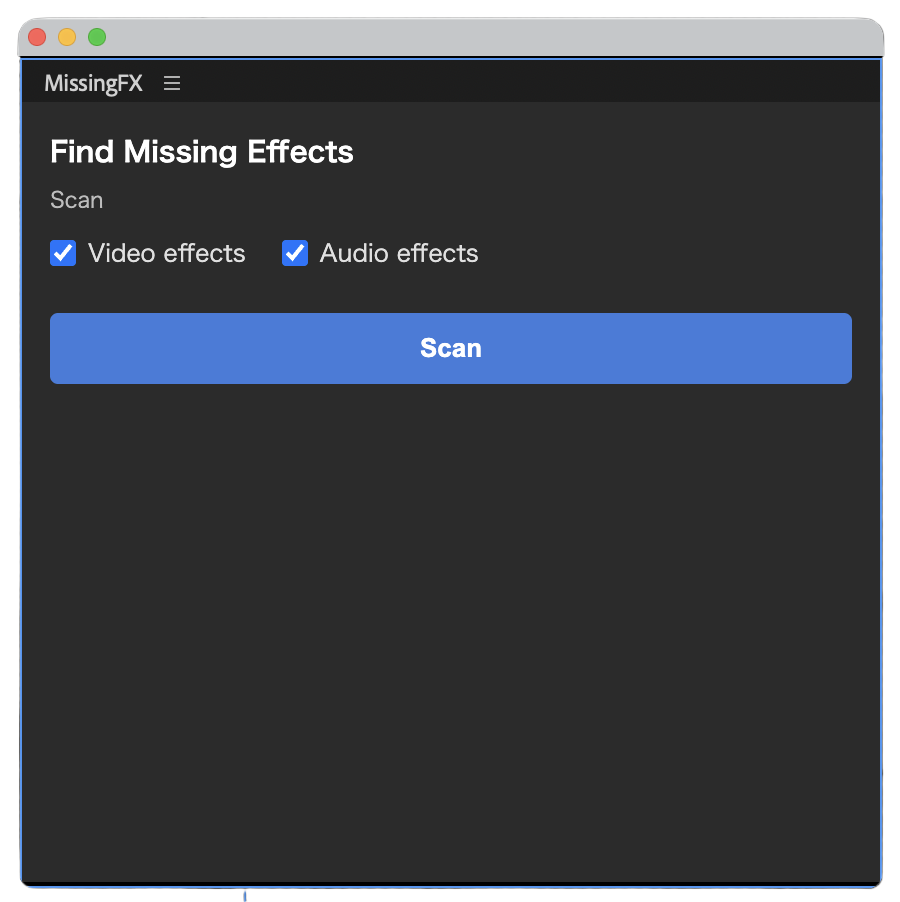
調べたいシーケンスを開いて、パネル(ウィンドウ > 拡張機能 > MissingFX)を表示します
「映像エフェクト」「音声エフェクト」のチェックで、調べる対象を選びます
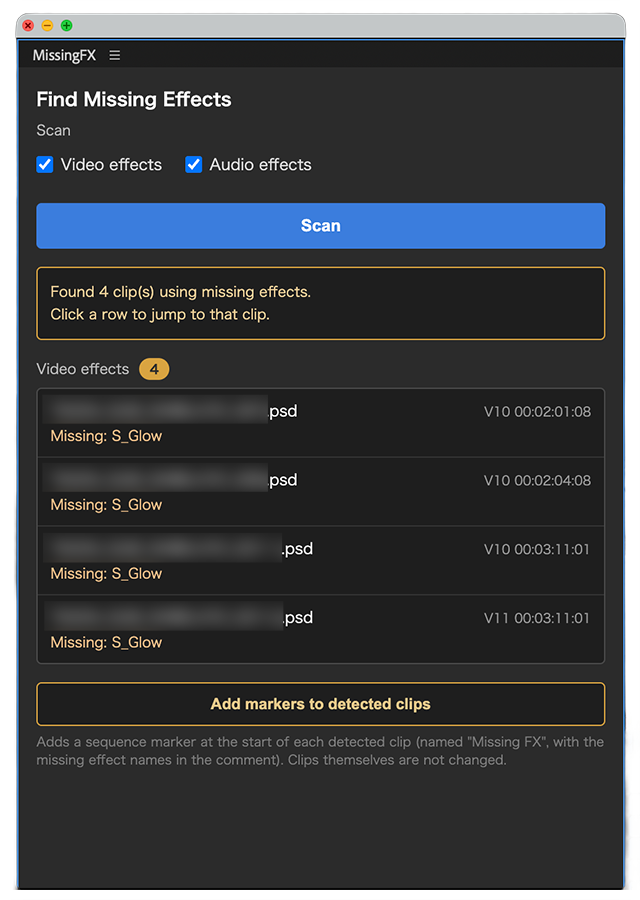
「Scan」を押すと、不明なエフェクトを使っているクリップが一覧で表示されます
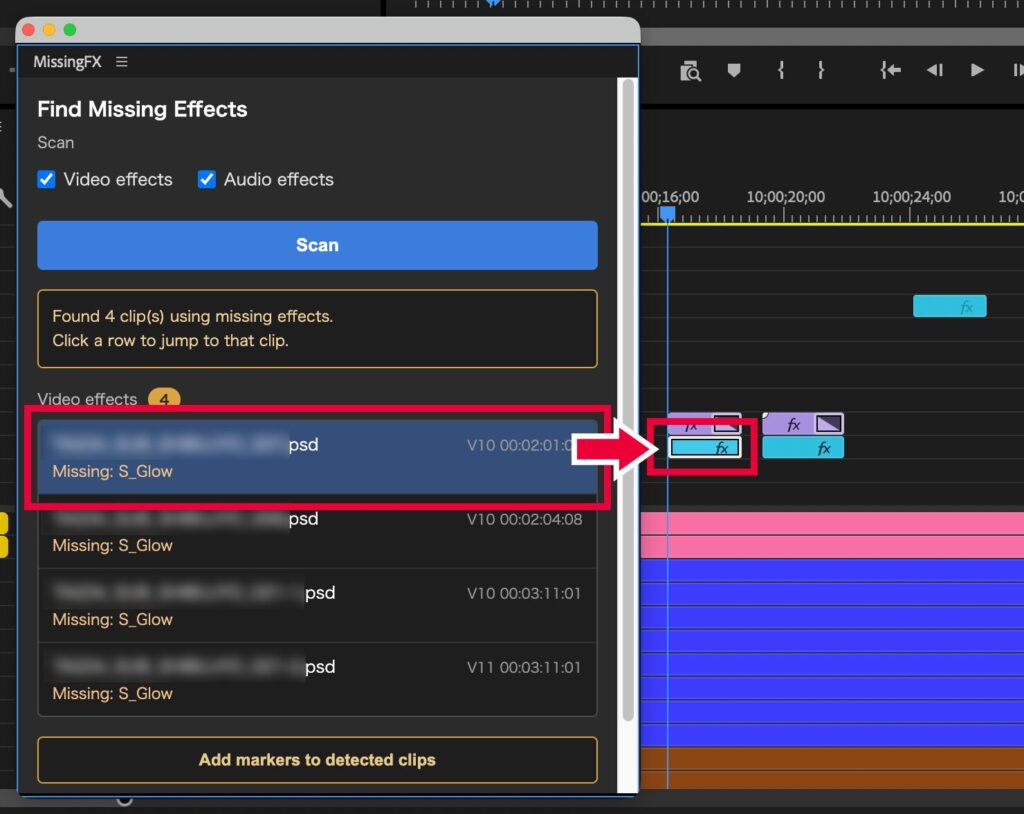
表示された項目をクリックすると、そのクリップが選択されます
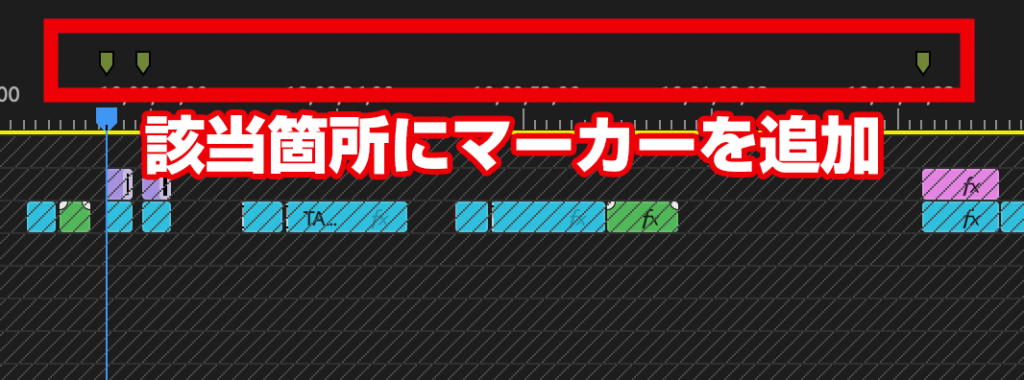
「Add markers to detected clips」で、該当クリップの先頭にマーカーを追加できます
MissingFX — Find clips that use missing effects in Premiere Pro
When you open a project created on another computer, some clips may still carry effects (plug-ins) that are not installed on your machine — and if you don’t notice, the look can change after export. MissingFX scans the active sequence and lists the clips that use such missing effects. It is fully read-only and never changes your timeline.
How to use
Open the sequence and the panel (Window > Extensions > MissingFX)
Use the Video effects / Audio effects checkboxes to choose what to scan
Click Scan to list the clips that use missing effects
Click an item in the list to select that clip
Use “Add markers to detected clips” to add a marker at the start of each detected clip
System requirements
Adobe Premiere Pro 2024 (24.0) or later
Windows version
The free Windows beta has ended. The Windows version is now included in the paid license (shared with Mac). After purchase, the email includes download URLs for both Mac (.pkg) and Windows (.zxp). Install the .zxp with a free ZXP installer such as the aescripts ZXP Installer.
Installation & license
Mac: install the .pkg, restart Premiere, open Window > Extensions > MissingFX, and enter your license key (MSFX-XXXX-XXXX-XXXX)
Windows (free beta): install the .zxp, restart Premiere, then open the panel (no activation needed)
FAQ
Does it change my clips? No. It is read-only; even adding markers never alters the clips.
What is a “missing effect”? A plug-in or effect that is not installed on this computer — for example a third-party effect applied on another PC.
Does it cover audio effects? Yes — you can scan video, audio, or both.
ABOUT ME
知多
Adobe 拡張機能・スクリプト開発 / 映像編集
映像編集の現場で20年以上働く中で培った経験から、繰り返し作業を自動化する Adobe 拡張機能・スクリプトを開発・販売しています。
Premiere Pro / Photoshop / After Effects 向けのツールが中心。「より早く、より効率的に」をコンセプトに、現場で本当に使える道具づくりを目指しています。